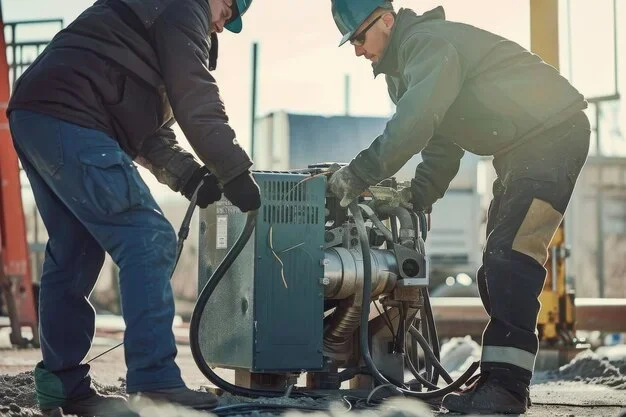
why does my generator keep turning off and how to fix it
Why does my generator keep turning off? The most common reasons include low oil levels, fuel supply issues, clogged air filters, carburetor problems, overheating, and faulty spark plugs. This guide walks you through every possible cause and gives you clear, step-by-step fixes you can do yourself. Whether you own a portable generator or a standby unit, you will find the answers you need right here.
Key Takeaways
- Low oil shutdown is the #1 culprit: Most modern generators have a built-in sensor that shuts the engine down when oil levels drop too low.
- Fuel supply problems are surprisingly common: A clogged fuel filter, stale gasoline, or a blocked fuel line can starve your engine and cause shutdowns.
- Carburetor issues stop generators in their tracks: A dirty or jammed carburetor disrupts the air-fuel mixture and leads to frequent shutdowns.
- Overheating is a serious warning sign: If your generator shuts off after running for a while, check the cooling system and exhaust path.
- Spark plug and ignition problems often go overlooked: A worn spark plug can cause intermittent shutdowns that are hard to diagnose.
- Regular maintenance prevents most shutdown issues: Oil changes, filter replacements, and fuel system cleaning keep your generator running reliably.
📑 Table of Contents
- Why Does My Generator Keep Turning Off?
- 1. Low Oil Level: The Most Common Cause
- 2. Fuel Supply Problems That Cause Shutdowns
- 3. Carburetor Troubles: The Hidden Culprit
- 4. Overheating: When Your Generator Gets Too Hot
- 5. Spark Plug and Ignition Issues
- 6. Other Causes You Should Not Ignore
- How to Prevent Generator Shutdowns in the Future
- When to Call a Professional
- Conclusion
Why Does My Generator Keep Turning Off?
There is nothing more frustrating than firing up your generator just to have it shut down on you again. You plug in your load, hear it sputter, and then — silence. Why does my generator keep turning off? That is the question many homeowners and job site workers ask themselves, especially during power outages or busy workdays.
The truth is, a generator that keeps shutting down usually has a very specific reason behind it. It might be something simple like low oil. Or it could be a more complex issue like a clogged carburetor or a failing voltage regulator. The good news is that most of these problems are easy to diagnose and fix. You do not need to be a mechanic to solve them. In this article, we will walk you through every common cause and give you practical fixes you can start using today.
We will cover everything from basic fuel system checks to more advanced troubleshooting steps. By the end, you will know exactly what to look for and how to get your generator running steady again. Let us dive in.
Common Reasons Generators Shut Off Unexpectedly
Before we get into the detailed fixes, it helps to understand the big picture. Generators are machines with many moving parts that must work together. When one part fails or gets dirty, the whole system can shut down. Here are the most common reasons a generator keeps turning off:
- Low oil level triggering an automatic shutdown
- Stale or contaminated fuel blocking the system
- A clogged air filter starving the engine
- Carburetor problems disrupting the fuel-air mix
- Overheating from overloading or poor ventilation
- Faulty spark plugs causing ignition failure
- Blocked exhaust or muffler restricting airflow
- Voltage regulator or circuit breaker malfunctions
Each of these issues has its own set of symptoms and fixes. Let us explore them one by one so you can pinpoint the problem with your unit.
1. Low Oil Level: The Most Common Cause
Here is the first thing you should check when your generator keeps turning off. Most modern generators come with a low oil shutdown sensor. This safety feature protects the engine from damage. When the oil drops below a safe level, the sensor sends a signal and the engine shuts down automatically.
This is actually a good thing. It means your generator is trying to protect itself. But it can be very annoying when you do not know why it keeps happening.
How to Fix a Low Oil Shutdown
- Turn off the generator and let it cool for a few minutes.
- Locate the dipstick and pull it out.
- Wipe it clean with a rag, then reinsert it fully.
- Pull it out again and check the oil level.
- If it is below the “MIN” mark, add the recommended oil type slowly.
- Do not overfill. Check your owner’s manual for the exact amount.
After adding oil, restart the generator. If it stays running, the low oil sensor was the issue. However, if the oil keeps dropping, you may have a leak. Check the oil pan, gaskets, and connections for any signs of dripping or seepage.
Quick Tip: Make it a habit to check your oil level before every use. This one simple step prevents a surprising number of shutdown problems.
2. Fuel Supply Problems That Cause Shutdowns
Your generator needs a steady flow of clean fuel to keep running. When something interrupts that flow, the engine sputters and dies. Fuel supply issues are among the top reasons why does my generator keep turning off during use.
Stale Gasoline
Gasoline goes bad. It is a fact that many people forget. Old fuel breaks down and forms a sticky residue that clogs fuel lines and carburetors. If your generator has been sitting for more than 30 days, the gasoline may be the problem.
Quick Tip: Always use fresh fuel. If you store your generator for long periods, drain the tank or add a fuel stabilizer. Ethanol-blended fuels are especially prone to degradation.
Clogged Fuel Filter
The fuel filter catches debris and prevents it from reaching the engine. Over time, it gets dirty and restricts fuel flow. A partially blocked filter can cause your generator to shut off under load, which is incredibly frustrating.
To check the fuel filter, locate it along the fuel line between the tank and the carburetor. If it looks dark or clogged, replace it. Most fuel filters are inexpensive and easy to swap out.
Blocked Fuel Line
Sometimes the problem is not the filter but the fuel line itself. Dirt, rust, or sediment can build up inside the line and create a blockage. If you suspect this, disconnect the fuel line and blow compressed air through it. If air does not pass through easily, you need to replace the line.
Fuel Tank Vent Blockage
This one catches people off guard. Your fuel tank has a small vent that allows air to enter as fuel is consumed. If this vent gets blocked, a vacuum forms inside the tank and fuel cannot flow to the engine. The generator may run for a few minutes and then shut off.
To test this, try loosening the fuel tank cap slightly when the generator shuts down. If it starts running again, the vent is blocked. Clean the vent hole with a thin wire or compressed air.
3. Carburetor Troubles: The Hidden Culprit
The carburetor mixes air and fuel in the right ratio for combustion. When it gets dirty or clogged, that ratio goes wrong and the engine either runs too rich or too lean. Both conditions can cause your generator to keep shutting off.
Carburetor problems are especially common in generators that sit unused for weeks or months. Old fuel left inside the carburetor turns into a varnish-like substance that sticks to the jets and passages.
Signs Your Carburetor Needs Attention
- The generator starts but dies within a few minutes
- It runs fine at idle but shuts off under load
- You notice black smoke or a strong fuel smell
- The engine surges and then dies
How to Clean a Carburetor
- Turn off the fuel valve and disconnect the fuel line.
- Remove the carburetor bowl (usually held by a single bolt).
- Spray carburetor cleaner into all the jets and passages.
- Use a thin wire or needle to clear any clogged jets.
- Let everything dry completely before reassembling.
- Reconnect the fuel line and turn the fuel valve back on.
If cleaning does not help, you may need to rebuild or replace the carburetor. Replacement kits are affordable and widely available for most generator models.
4. Overheating: When Your Generator Gets Too Hot
Generators generate a lot of heat. They are designed to run hot, but there is a limit. When a generator overheats, it will automatically shut down to prevent damage. If your generator keeps turning off after running for 20 or 30 minutes, overheating is likely the cause.
Why Generators Overheat
Several factors can cause a generator to overheat:
- Overloading the generator: Plugging in too many devices exceeds the rated wattage. The engine works harder and heats up faster.
- Poor ventilation: Generators need plenty of airflow. Running one in an enclosed space traps heat and exhaust fumes.
- Dirty cooling fins: The engine cooling fins can get clogged with dirt, dust, and debris over time. This reduces heat dissipation.
- Low oil level: Oil not only lubricates but also helps cool the engine. Low oil means poor cooling.
- Blocked exhaust: A clogged muffler or exhaust pipe forces hot gases back into the system.
How to Prevent Overheating Shutdowns
- Never exceed the generator’s rated wattage. Check the label on the unit for the maximum load.
- Place the generator in a well-ventilated outdoor area.
- Clean the cooling fins regularly with a soft brush.
- Keep the exhaust path clear of obstructions.
- Let the generator cool down between heavy use sessions.
Quick Tip: If your generator has a temperature gauge, watch it closely. If the needle climbs into the red zone, reduce the load immediately or shut it down.
5. Spark Plug and Ignition Issues
A weak or dirty spark plug can cause all kinds of strange behavior. Your generator might start fine but then shut off unexpectedly. Or it might run rough and cut out under load. The spark plug creates the electrical arc that ignites the fuel-air mixture. When that spark is weak or inconsistent, the engine misfires and stalls.
How to Check Your Spark Plug
- Locate the spark plug on the engine block.
- Disconnect the spark plug wire carefully.
- Use a spark plug wrench to remove the plug.
- Inspect the electrode for carbon buildup, corrosion, or damage.
- Check the gap between the electrodes using a feeler gauge.
- Compare the gap to your owner’s manual specifications.
If the spark plug looks black and sooty, clean it with a wire brush. If the electrode is worn or damaged, replace it. Spark plugs are cheap and easy to swap. This is one of the simplest fixes for a generator that keeps turning off.
Expert Insight: Many people do not realize that spark plugs have a limited lifespan. Even if they look okay, replace them every 100 to 200 hours of use to keep your generator running at its best.
6. Other Causes You Should Not Ignore
While the issues above cover the most common reasons, there are a few more things that can cause your generator to shut off unexpectedly.
Faulty Voltage Regulator
The voltage regulator controls the electrical output of your generator. If it malfunctions, it can cause the generator to shut down to protect connected devices. Signs of a bad voltage regulator include flickering lights, inconsistent voltage output, and unexpected shutdowns under load.
Tripped Circuit Breaker
Many generators have built-in circuit breakers that trip when they detect an overload or short circuit. If the breaker trips, the generator shuts off immediately. Check the breaker panel on your generator and reset it if needed. If it keeps tripping, you may be running too many appliances at once.
Clogged Air Filter
Your generator engine needs a mix of air and fuel to run properly. A dirty air filter restricts airflow and creates a rich fuel mixture. This can cause the engine to run poorly and eventually shut off. Check the air filter regularly and replace it when it looks dirty or clogged.
Governor Malfunction
The governor controls the engine speed by regulating the fuel supply. If the governor gets stuck or malfunctions, the engine may speed up and then shut off. This is a less common issue but can be tricky to diagnose. If you suspect a governor problem, it is best to consult a professional technician.
How to Prevent Generator Shutdowns in the Future
Once you get your generator running smoothly again, you want to keep it that way. Preventive maintenance is the best way to avoid the frustration of a generator that keeps turning off.
Create a Simple Maintenance Schedule
- Before each use: Check oil level and fuel quality
- Every 25 hours: Inspect the air filter and clean if needed
- Every 50 hours: Change the oil and oil filter
- Every 100 hours: Inspect and clean the spark plug
- Every 200 hours: Clean the carburetor and fuel system
- Seasonally: Run the generator under load for 15 to 20 minutes
Quick Tip: Keep a maintenance log in a notebook or on your phone. Tracking your service dates helps you stay on top of maintenance and catch small problems before they become big ones.
Store Fuel Properly
Always store gasoline in approved containers in a cool, dry place. Add fuel stabilizer if the fuel will sit for more than two weeks. Fresh fuel means fewer clogs and a more reliable generator.
Run Your Generator Regularly
Generators that sit unused for long periods develop fuel system problems more quickly. Even if you do not need power, run your generator for 15 to 20 minutes once a month. This keeps the internal components lubricated and the fuel system clear.
When to Call a Professional
Most generator shutdown issues can be fixed at home with basic tools and a little patience. But some problems are beyond a DIY fix. You should call a professional if:
- The generator shuts off repeatedly even after you have checked all the common causes
- You notice unusual noises like knocking or grinding from the engine
- There is visible damage to the fuel system or electrical components
- The generator trips a breaker every time you try to use it
- You are not comfortable working with fuel systems or electrical components
A qualified technician can diagnose hidden issues like internal engine wear, voltage regulator failure, or wiring problems that are not visible from the outside.
Conclusion
Dealing with a generator that keeps turning off is frustrating, but it is almost always fixable. The most common causes are low oil, fuel supply problems, carburetor clogs, overheating, and spark plug issues. By working through the checks and fixes in this guide, you can identify the problem and get your generator running again.
Remember that preventive maintenance is your best defense against unexpected shutdowns. Regular oil changes, clean filters, fresh fuel, and periodic run times keep everything in good working order. The next time your generator shuts off, do not panic. Go through this checklist step by step, and you will likely find the answer to why does my generator keep turning off and get it fixed quickly.
Now that you know what to look for, you are better prepared to handle the problem. Your generator is an investment in comfort and safety. Treat it well, and it will keep the lights on when you need it most.
Frequently Asked Questions
Why does my generator shut off after running for a few minutes?
This is usually caused by a fuel supply problem, a clogged carburetor, or low oil. Check your oil level first, then inspect the fuel filter and fuel lines. If those look fine, clean the carburetor. A fuel tank vent blockage can also cause this exact symptom.
Can a dirty air filter cause my generator to turn off?
Yes, absolutely. A clogged air filter restricts airflow to the engine, creating a rich fuel mixture. This causes the engine to run poorly and can lead to shutdowns. Check your air filter regularly and replace it when it looks dirty.
How do I know if my generator is overheating?
Signs of overheating include the generator shutting off after running for 20 to 30 minutes, a hot engine surface, reduced power output, or a tripped thermal switch. Make sure you are not overloading the unit and that it has adequate ventilation.
What type of oil should I use in my generator?
Check your owner’s manual for the recommended oil type and viscosity. Most generators use standard 10W-30 or SAE 30 oil. In colder climates, a 5W-30 synthetic oil may be recommended. Always use oil that meets the manufacturer’s specifications.
Is it normal for a generator to shut off under heavy load?
A brief shutdown under heavy load can happen if you are exceeding the generator’s wattage rating. However, if your generator shuts off under normal loads, there is likely an underlying issue such as a clogged fuel filter, carburetor problem, or failing voltage regulator.
How often should I change the spark plug in my generator?
Most manufacturers recommend replacing the spark plug every 100 to 200 hours of use, or at least once per season. A worn or dirty spark plug is a common cause of intermittent shutdowns and rough running.
=== META TITLE ===
Why Does My Generator Keep Turning Off and How to Fix It
=== SEO TITLE ===
Why Does My Generator Keep Turning Off (How to Fix It)
=== URL SLUG ===
/why-does-my-generator-keep-turning-off
=== OPENING SUMMARY ===
Why does my generator keep turning off? This is one of the most common generator problems, and the good news is that it is usually easy to fix. The main causes include low oil levels, fuel supply issues, clogged carburetors, overheating, and faulty spark plugs. In this complete guide, you will learn how to identify the exact reason your generator shuts down and follow simple, proven fixes to get it running again. We cover everything from basic oil checks to carburetor cleaning and overheating prevention. Whether you use a portable generator for camping or a standby unit for your home, this article gives you the knowledge and confidence to solve the problem yourself.