Best AI Video Editing Tools for Beginners Guide 2025
AI video editing tools for beginners have changed the way anyone can create professional-looking videos. These smart editors use artificial intelligence to handle the hard parts, so you can focus on your creative vision. In this guide, you will learn about the top AI-powered editing platforms, their standout features, and how to pick the right one for your needs. Whether you are making content for social media, YouTube, or personal projects, these tools make the process faster and simpler than ever before.
Creating videos used to require expensive software and years of practice. Not anymore. Today, AI video editing tools for beginners have opened the door for anyone who wants to tell a story through video. Whether you are a content creator, a small business owner, or someone who just wants to share memories, these tools make the process surprisingly easy.
The beauty of AI-powered editing is that it handles the boring, technical stuff behind the scenes. Cutting clips, adjusting colors, adding transitions, and generating subtitles can all happen with just a few clicks. You do not need to be a tech expert or a professional editor to produce videos that look polished and professional.
In 2025, the market is flooded with options. Some tools are free, while others come with premium features worth paying for. This guide breaks down the best AI video editing tools for beginners available right now. You will learn what each tool does best, how they compare, and how to choose the one that fits your goals.
Key Takeaways
- AI video editing tools for beginners save time by automating tedious tasks like cutting, color correction, and subtitle creation.
- Top platforms like CapCut, Descript, and InVideo offer user-friendly interfaces designed specifically for new editors.
- Smart features such as text-to-video, auto-reframing, and AI voiceovers make professional-quality editing accessible to everyone.
- Choosing the right tool depends on your budget, project type, and the specific features you need most.
- Common beginner mistakes include over-relying on AI, ignoring audio quality, and skipping the learning curve entirely.
- Practicing with free plans lets you explore features before committing to a paid subscription.
- The future of video editing is AI-driven, and starting early gives you a strong creative advantage.
📑 Table of Contents
- Why AI Video Editing Is a Game Changer for Beginners
- Top AI Video Editing Tools for Beginners in 2025
- How to Choose the Right AI Video Editor
- Key Features That Make AI Editing Tools Stand Out
- Common Mistakes Beginners Make with AI Video Editing
- Quick Tips for Getting Started with AI Video Editing
- The Future of AI Video Editing
- Final Thoughts
Why AI Video Editing Is a Game Changer for Beginners
Traditional video editing can feel overwhelming. There are timelines, keyframes, color wheels, and dozens of confusing buttons. Even watching a tutorial does not always make things clearer. That is where AI steps in and changes everything.
AI video editing tools for beginners work by using machine learning algorithms to understand your footage and make smart decisions. For example, an AI editor can automatically detect the best moments in your raw clips, remove awkward pauses, and suggest the perfect background music. It is like having a personal editing assistant who never gets tired.
Here is why this matters for someone just starting out:
- Speed: Tasks that used to take hours now take minutes. AI handles repetitive work so you can focus on creativity.
- Lower learning curve: You do not need to memorize complex shortcuts or workflows. The tools guide you through the process.
- Affordable options: Many AI-powered editing platforms offer free tiers or low-cost plans, making them accessible to everyone.
- Professional results: AI applies cinematic effects and color grading that would normally require advanced skills.
- Consistency: The tools maintain a uniform look across your videos, which builds a stronger brand presence.
The bottom line is simple. AI video editing tools for beginners remove the barriers that once kept people from creating great video content. You do not need a degree in film production. You just need an idea and the right tool.
Top AI Video Editing Tools for Beginners in 2025
Now let us look at the actual tools. Each one has its own strengths, so pay attention to what matters most for your projects.
CapCut
CapCut has become one of the most popular free AI video editing tools for beginners on the market. Originally designed for mobile devices, it now offers a powerful desktop version as well. The interface is clean, intuitive, and surprisingly capable.
What makes CapCut stand out is its built-in AI features. The auto-caption function generates subtitles in seconds, supporting dozens of languages. The background remover works with impressive accuracy, letting you swap out scenes without a green screen. There is also a library of templates, effects, and transitions that make your videos look professional right out of the box.
Best for:
- Social media content creators
- Short-form videos for TikTok, Instagram, and YouTube Shorts
- Anyone who wants a free, feature-rich editor
Descript
Descript takes a completely different approach to video editing software. Instead of working with a traditional timeline, you edit your video by editing a text transcript. It sounds unusual, but it is incredibly powerful.
Here is how it works. You upload your video, and Descript transcribes the audio into text. Then you simply delete or rearrange words in the transcript, and the video edits itself accordingly. The AI also removes filler words like “um” and “uh” with one click. You can even clone your voice for AI voiceover generation, which is a game changer for podcasters and explainer video creators.
Best for:
- Podcasters and interview-based content
- Educational videos and tutorials
- Editors who prefer a text-based workflow
InVideo AI
InVideo AI pushes the boundaries of automatic video editing with its text-to-video capability. You type a prompt, describe what you want, and the AI generates a complete video with clips, music, voiceover, and transitions.
This tool is perfect for people who have zero editing experience but need to produce content quickly. The AI selects relevant stock footage, matches it to your script, and applies professional-grade templates. You can then customize the result to make it your own.
Best for:
- Marketers and social media managers
- People who need videos fast without manual editing
- Content repurposing and ad creation
Runway ML
Runway ML is for beginners who want to explore the cutting edge of AI-powered editing. It offers a range of creative AI tools, including video generation, style transfer, and inpainting (removing or replacing objects in your footage).
The platform has a gentle learning curve for basic tasks, but it also opens up advanced possibilities as you grow more comfortable. You can remove backgrounds, slow down or speed up clips with AI precision, and even generate entirely new video clips from text prompts.
Best for:
- Creative professionals experimenting with AI
- Content creators who want unique, artistic effects
- Those interested in generative AI for video
Filmora
Wondershare Filmora has been a go-to video editing tool for beginners for years, and its latest versions now include robust AI features. The AI smart cutout, AI copywriting for captions, and AI music generation add serious value to an already user-friendly editor.
Filmora offers a traditional timeline interface, which is great if you want to learn the fundamentals of editing while still benefiting from AI assistance. The drag-and-drop workflow makes it easy to add effects, text, and audio tracks without any confusion.
Best for:
- Beginners who want to learn traditional editing with AI helpers
- YouTube creators and vloggers
- Users who want a polished, feature-rich editor at a reasonable price
How to Choose the Right AI Video Editor
With so many options available, picking the right AI video editing tools for beginners can feel tricky. Use this comparison to narrow down your choices based on what matters most to you.
| Feature | CapCut | Descript | InVideo AI | Runway ML | Filmora |
|---|---|---|---|---|---|
| Price Range | Free / Low Cost | Mid-Range | Free / Paid Plans | Free Tier / Premium | Free / Paid Plans |
| Ease of Use | Very Easy | Easy (Text-Based) | Very Easy | Moderate | Easy |
| Auto Subtitles | Yes | Yes | Yes | Limited | Yes |
| Text-to-Video | No | No | Yes | Yes | No |
| Background Removal | Yes | Yes | Yes | Yes | Yes |
| Best For | Social Media | Podcasts & Tutorials | Quick Content | Creative Projects | General Editing |
Ask yourself these questions before making a decision:
- What is my budget? If you are just starting out, free tools like CapCut let you explore without any financial risk.
- What type of videos am I making? Short-form social content works best with CapCut or InVideo AI. Long-form tutorials and podcasts shine with Descript.
- Do I want to learn traditional editing? If yes, Filmora gives you a solid foundation with AI features layered on top.
- How much time do I have? If speed is everything, InVideo AI’s text-to-video feature can produce a finished video in minutes.
- Do I need advanced creative tools? Runway ML offers the most innovative AI features for artistic and experimental work.
Key Features That Make AI Editing Tools Stand Out
Not all AI editing features are created equal. Here are the capabilities you should look for when evaluating AI video editing tools for beginners.
Automatic Subtitle and Caption Generation
Subtitles are essential for reaching a wider audience. AI tools can transcribe your audio and generate accurate captions in multiple languages. This is especially useful for video content that targets international viewers or people watching without sound.
CapCut and Descript both excel in this area. Their subtitle accuracy is impressive, and you can customize fonts, colors, and animations to match your brand style.
Smart Cutting and Scene Detection
One of the most time-consuming parts of editing is finding the best moments in your footage. AI smart editing tools analyze your video and automatically detect scene changes, highlight reels, and the most engaging segments. This feature alone can save you hours of manual review.
AI Color Correction and Enhancement
Good color grading makes your videos look professional. AI tools can analyze the lighting and color balance of your footage and apply corrections automatically. Some platforms even offer one-click filters that mimic cinematic looks, giving your video production a polished finish without any manual tweaking.
Background Removal and Replacement
Removing a background used to require a physical green screen and advanced editing skills. Today, AI handles this in seconds. You can replace your background with a solid color, a blurred effect, or even a completely different scene. This feature is incredibly useful for creating clean, professional-looking content from any setting.
AI Voiceover and Text-to-Speech
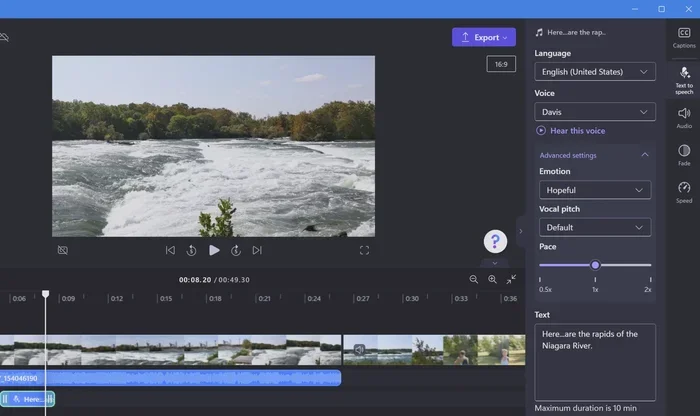
If you do not want to record your own voiceover, AI can generate natural-sounding narration for you. Modern AI content creation tools offer dozens of voices in different languages and tones. You simply type your script, and the AI produces a voiceover that sounds remarkably human.
Common Mistakes Beginners Make with AI Video Editing
Even with the best tools, beginners can fall into traps that hurt their progress. Here are the mistakes to avoid when using AI video editing tools for beginners.
Relying Too Heavily on AI Without Learning the Basics
It is tempting to let the AI do everything, but understanding basic editing concepts helps you make better creative decisions. Learn what a timeline is, how transitions work, and why pacing matters. AI is a powerful assistant, not a replacement for your creative eye.
Ignoring Audio Quality
People will forgive average video quality, but bad audio drives viewers away quickly. Always check your audio levels, remove background noise, and make sure your voice is clear. Many AI video editor platforms include audio enhancement features, so use them.
Skipping the Free Trial
Most tools offer free plans or trial periods. Do not pay for a subscription before you have tested the platform. Spend time exploring the features, importing your own footage, and seeing if the workflow feels right for you.
Using Too Many Effects
It is easy to go overboard with transitions, filters, and animations. Less is often more. Keep your editing clean and focused on the message you want to convey. A simple, well-edited video always outperforms a flashy, cluttered one.
Quick Tips for Getting Started with AI Video Editing
Ready to dive in? Here are some practical tips to help you get the most out of AI video editing tools for beginners.
- Start with a free tool. CapCut and InVideo AI both offer free plans that let you learn without spending a dime.
- Plan your video before you edit. Write a simple outline or script. Even a rough idea of what you want to say saves time during the editing process.
- Use templates wisely. Templates give you a great starting point, but customize them to make the video feel uniquely yours.
- Export in the right format. Different platforms require different aspect ratios and resolutions. Check the specifications for where your video will be published.
- Practice regularly. The more you edit, the better you will become. Try new features, experiment with styles, and do not be afraid to make mistakes.
- Watch tutorials for your specific tool. Most platforms have official YouTube channels or help centers with step-by-step guides tailored to their features.
These small steps make a big difference. Within a few weeks of regular practice, you will notice a significant improvement in the quality and speed of your video editing workflow.
The Future of AI Video Editing
The AI-powered editing landscape is evolving rapidly. New features are being added constantly, and the tools are becoming more intuitive with each update. In the near future, we can expect even more advanced capabilities like real-time AI editing, deeper integration with live streaming, and AI that understands emotional context in footage.
For beginners, this is an exciting time to start learning. The barrier to entry has never been lower, and the quality of video editing software available today rivals tools that cost thousands of dollars just a few years ago. By starting now, you position yourself ahead of the curve and build skills that will only become more valuable.
Remember, the goal of AI video editing tools for beginners is not to replace your creativity. It is to amplify it. These tools handle the technical heavy lifting so you can spend more time on storytelling, expression, and connecting with your audience.
Final Thoughts
The world of video editing is no longer reserved for professionals with expensive equipment and years of training. AI video editing tools for beginners have democratized the creative process, giving everyone the power to produce high-quality video content from their own computer or phone.
Whether you choose CapCut for quick social media clips, Descript for text-based editing, InVideo AI for fast text-to-video creation, Runway ML for creative experiments, or Filmora for a balanced learning experience, there is a tool that fits your needs and budget. The key is to start, explore, and keep practicing.
Pick one tool that catches your interest, sign up for the free plan, and start editing your first video today. You will be surprised at how quickly you can go from a raw idea to a finished, share-worthy video production. The best time to start is now.
Frequently Asked Questions
What are the best AI video editing tools for beginners?
The top options include CapCut, Descript, InVideo AI, Runway ML, and Filmora. Each tool offers different strengths, so the best choice depends on your project type and goals. CapCut is excellent for social media content, while Descript works well for podcasts and tutorials.
Do I need any experience to use AI video editing tools?
No experience is required. These tools are specifically designed to be beginner-friendly, with intuitive interfaces and automated features that handle the complex parts. You can start creating videos within minutes of signing up.
Are free AI video editors good enough for professional use?
Many free tools like CapCut produce videos that look professional and are suitable for most platforms. However, paid plans often unlock advanced features like higher export quality, more templates, and additional AI capabilities that can elevate your content further.
How does AI improve the video editing process?
AI speeds up editing by automating tasks like cutting, color correction, subtitle generation, and background removal. It also provides smart suggestions that help you make better creative decisions, saving you significant time and effort.
Can AI video editing tools replace human editors?
AI tools are powerful assistants, but they do not fully replace human creativity and judgment. They excel at handling repetitive tasks and speeding up workflows, but the final creative decisions still benefit from a human touch.
What should I look for when choosing an AI video editor?
Consider your budget, the type of videos you want to create, the features that matter most to you, and whether the tool offers a free trial. Reading reviews and testing a few platforms before committing is always a smart approach.
=== CONCLUSION ===
AI video editing tools for beginners have made it easier than ever to create stunning videos without any prior experience. From automatic subtitles and smart cutting to AI voiceovers and text-to-video generation, these platforms put professional-grade capabilities at your fingertips. The tools covered in this guide each offer something unique, so take your time exploring them and find the one that aligns with your vision.
Start with a free option, experiment with different features, and build your confidence step by step. The world of video editing software has changed forever, and there has never been a better time to jump in. Your creative journey starts with a single click, and the results will speak for themselves.